The AI Readiness Checklist: 10 Boring Things That Make AI Less Risky & More Effective

Ten fixes on the AI readiness checklist most teams skip.
Last week someone asked their shiny new AI assistant a simple question: "What is our current refund policy?" The answer came back fast, clear, and confident. It was also wrong. The AI had found a policy document, just not the right one. It pulled a draft from 2023 that nobody had deleted, and it quoted it like gospel.
The AI did not malfunction. It did exactly what it was built to do: read what it could reach and answer from it. The problem was not the tool or model. The problem was the pile of files it was reading from. The condition of the information the AI can see matters far more than the prompts you type or the features you switch on.
AI inherits your environment. It can reach whatever you can already reach, and it works with whatever shape your information is in. Clean inputs give you useful answers. Messy inputs give you confident nonsense. So the most useful prep has nothing to do with prompts. It is the unglamorous work of getting your information into shape before the AI ever reads it.
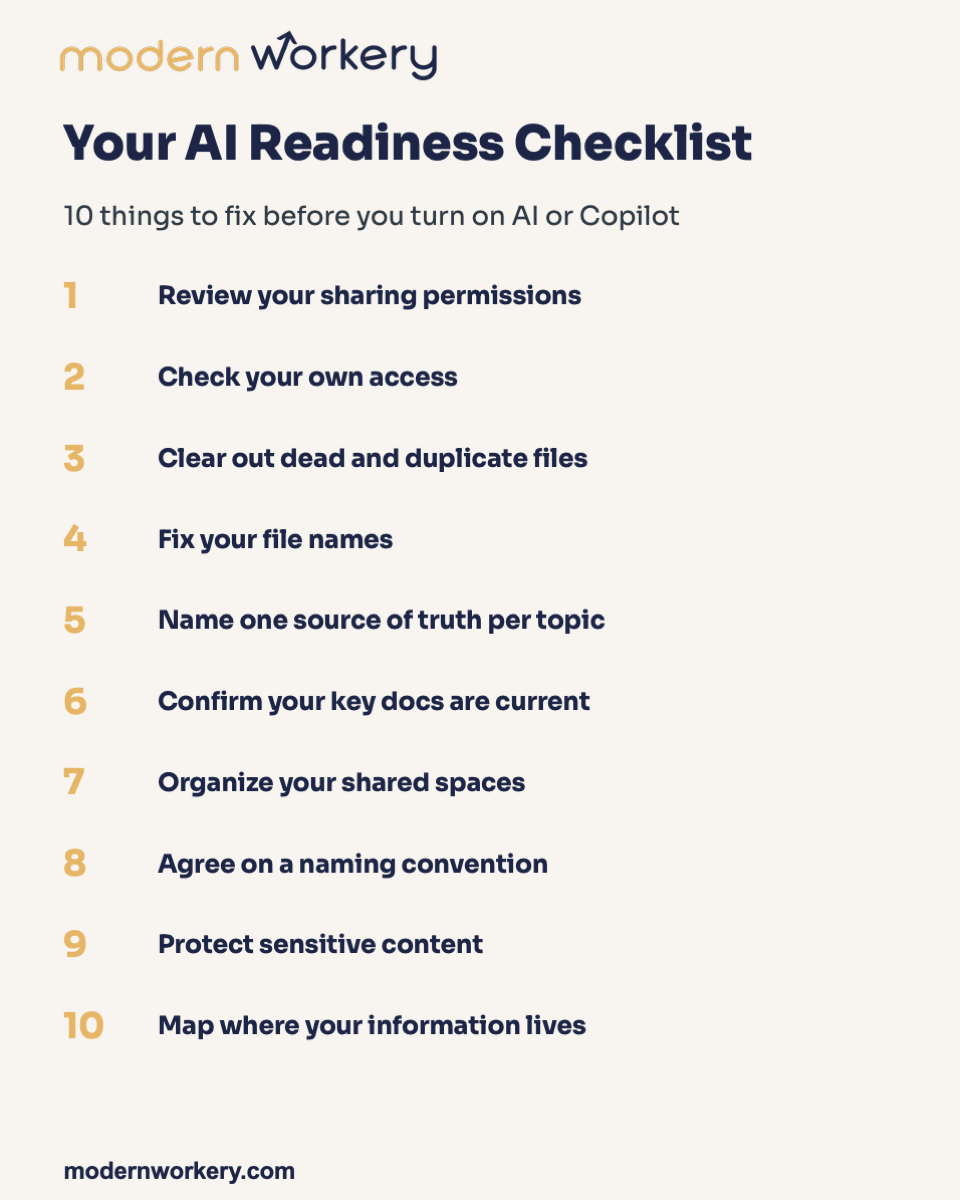
Ten AI readiness checklist fixes worth making first
1. Review your sharing permissions.
AI can surface anything you have shared, which means an old share becomes live exposure the moment you turn AI on. Picture a marketing manager who shared a salary planning sheet with "anyone with the link" for one quick review back in 2022. Nobody ever closed that link. Now AI can pull those numbers into a summary for whoever asks. To fix it: open your "shared by me" list and skim it, switch "anyone with the link" to named people, and revoke anything you do not recognize.
2. Check your own access.
If you can reach something you should not, AI treats it as fair game on your behalf. Say you changed roles a year ago but you are still sitting in the old "Leadership Comp" folder nobody removed you from. AI does not know you moved on. It sees that folder as yours to read and quote. To fix it: look at the folders and sites you belong to, flag any that no longer match your job, and tell the owner so they can remove you.
3. Clear out dead and duplicate files.
Old versions are exactly how AI confidently cites the wrong thing. A sales rep asks for the latest pricing sheet, three files say "final," and AI grabs the oldest one and quotes a tier you discontinued months ago. To fix it: delete or archive anything outdated, keep one current version of each thing, and move the rest into a dated "Archive" folder so they are out of the way but not lost.
4. Fix your file names.
A clear name helps AI find and reference the right document. A vague one buries it. "doc1_final_v2_USE THIS.docx" tells AI nothing. "2026 Q2 Onboarding Checklist" tells it the topic, the timeframe, and the purpose in five words. To fix it: rename files so a stranger could understand them, put the topic and date in the name, and drop "final," "v2," and "copy."
5. Name one source of truth per topic.
When two versions disagree, AI cites whichever it finds first. Two PTO policies float around the company. One says 15 days, one says 20. A new hire asks AI, gets the wrong number, and now you have a trust problem on day three. To fix it: pick the official version of each key document, label it clearly ("OFFICIAL" or "Current"), and retire or plainly mark the rest.
6. Confirm your key docs are current. AI trusts what it reads, so outdated text becomes outdated advice instantly. Your "Client Onboarding Steps" still references a tool you stopped using in January. AI hands a new team member the old steps, and they follow them right into a dead end. To fix it: spot-check your top five reference documents, update what is stale, and add a "last reviewed" date so freshness is visible at a glance.
7. Organize your shared spaces.
Logical structure means cleaner retrieval and fewer dead ends, for people and AI alike. A new hire asks AI where the brand assets live. They are scattered across three sites with no pattern, so AI surfaces the half-empty one and the person gives up and recreates a logo from scratch. To fix it: group spaces by how people actually work rather than by who happened to create them, collapse near-empty sites into the main one, and name spaces plainly so the contents are obvious.
8. Agree on a naming convention.
One pattern, written down, compounds across hundreds of files. One person saves "2026-06 Report," another saves "June Report 2026," a third saves "Q2report." To a human that is mildly annoying. To AI those look like three unrelated things. To fix it: agree on one pattern (date first is a safe default, like YYYY-MM-Topic), write it in a pinned doc everyone can see, and apply it going forward. Do not try to rename the entire back catalog in one heroic weekend. Start with new files.
9. Protect sensitive content.
AI can pull from a sensitive file just like any other one, unless you have marked it. Imagine AI lifting a line from an unlabeled "Restructure Planning" doc and dropping it into a cheerful team FAQ answer. Nobody meant for that to happen, and no prompt would have caught it. To fix it: identify what is truly sensitive (people data, legal, financial, strategic), label or restrict those files, and confirm what should never leave the organization at all.
10. Map where your information lives.
AI can only work with what it can see, and people write better prompts when they know the real source. Half your team thinks the latest deck is in email and half think it is in the shared drive. Both are partly right, which means both are partly wrong, and the AI is guessing along with everyone else. To fix it: list where each important thing actually lives, point people (and AI) to the one real home for each, and break the habit of treating an email attachment as the system of record.
Try This 10-Minute Exercise
Open the single location you share the most. One folder, one drive, one site. Do just three checks on it.
-
First, look at who has access and remove anyone who should not be there.
-
Second, delete or archive the most obviously outdated file you can see.
-
Third, rename one file so a stranger could understand it.
Three small fixes, one location, ten minutes. Then you do the same thing on the next location, and the one after that.
The boring AI readiness checklist is the one that pays off
None of this is glamorous. Nobody posts a victory lap for archiving old files or renaming a folder. But this is the work that decides whether AI helps your team or quietly embarrasses it. Every clever prompt someone writes later depends on the AI reading clean, current, organized information.
The teams that get the most out of AI tend to share one boring trait: their information was already in good shape on day one. Get the boring part right, and the impressive part takes care of itself.
If you or your team wants to get more out of AI, set up a discovery call with Modern Workery.
Stay connected with news and updates!
Join our mailing list to receive the latest news and updates from Modern Workery.
We hate SPAM. We will never sell your information, for any reason.